
Words With Friends Word Game
ZyngaWord
4.1144.67K Reviews
- Version
- 63.00.04
- Installs
- 10.00M
- Age Rating
- Everyone
Screenshots
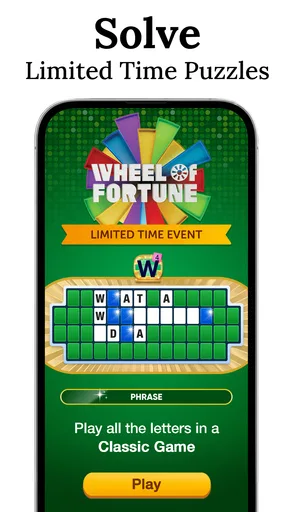
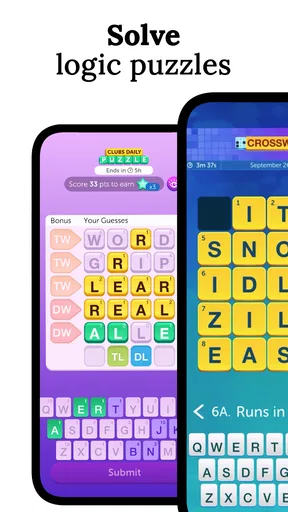
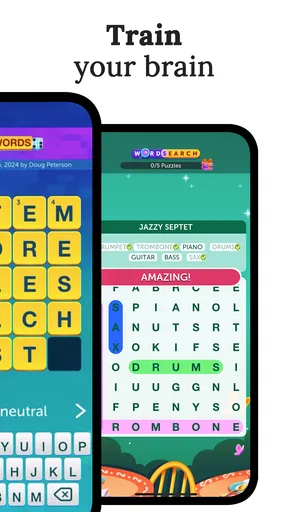
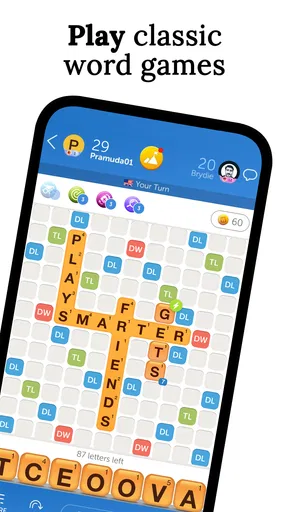
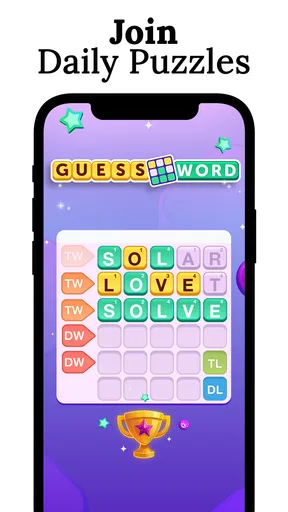
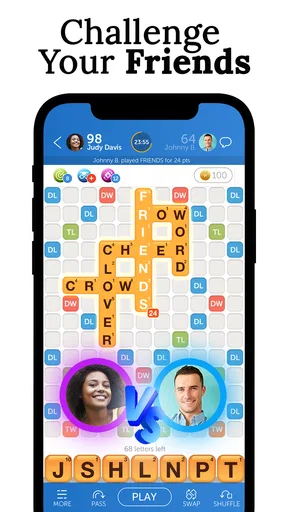
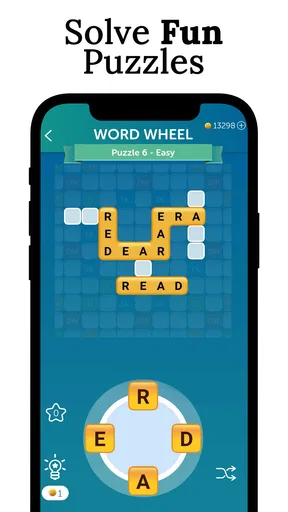
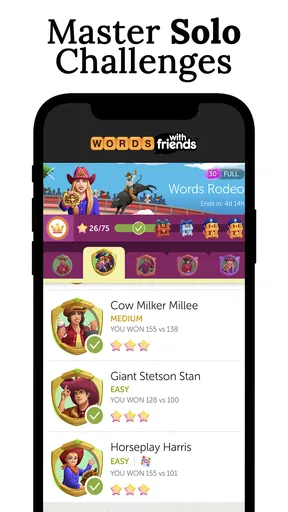
Our Review of Words With Friends Word Game
 Analysis by Appyee
I like word games that let me think at my own pace, and Words With Friends is built around that kind of casual back-and-forth. A turn can be a quick move between errands or the start of a longer contest, so it works well when I want a little mental challenge without committing to a whole evening. It is a free word game from Zynga, rated Everyone, and its appeal is easy to understand: make words from letter tiles, place them on a shared board, and try to score more cleverly than your opponent.
If you are new to this style of game, expect a familiar crossword-like board rather than a string of timed questions. The challenge is not just finding a valid word. You also have to decide where to place it, whether it opens a valuable square for the other player, and if keeping certain letters might help on a later turn. That mix makes each move feel like a small puzzle of its own.
What to expect from a match
The basic rhythm is straightforward: look at your tiles, find a word that connects to the letters already on the board, then weigh points against position. Premium squares can change the value of a move, but chasing one is not always wise if it gives your opponent an easy scoring opportunity. I find that the best turns often come from noticing a modest word that fits safely, rather than forcing the longest word I can see.
This is a social game, but it does not require both players to be sitting together. That makes it a good fit for friends with different schedules: one person can make a move, and the other can respond when they have a spare moment. The app has a 4.1 average from around 519,000 ratings, and it has passed 10 million installs. Those figures suggest a large community, though a popular game is not automatically the right match for every player.
The game is free to download, with in-app purchases ranging from $0.99 to $149.99 per item. I would approach those purchases as optional extras rather than part of the basic appeal. If your goal is simply to play word matches, start without spending and see whether the pace and social features suit you. The current version is 50.00.03, and the game requires Android 6.0 or later.
Getting your first game underway
When you install it, take a moment to choose how you want to connect and who you want to play with. The original setup offers Facebook or email sign-in, and connecting with friends across platforms is one of the practical reasons this game can work well for a group that uses a mix of phones. If you would rather keep your play separate from your social accounts, consider that choice before you settle into a routine.
For a first match, I would focus on making a sensible legal move rather than trying to beat an experienced player immediately. Find a word you know, check how it connects to the board, and look at the score before committing. That first successful placement teaches more than staring at the rules: you see how the tiles interact with the board and how a small placement can shape the next turn.
A useful habit is to check the spaces around your word before you play. A move can score well and still leave a premium square exposed, so ask yourself what a likely reply might look like. I also try not to hold every awkward letter indefinitely. Saving a tile can be strategic, but keeping a poor rack for several turns can make the game feel stuck. A reasonably good move now is often better than waiting for a perfect one that may never arrive.
Learning without turning every turn into homework
Definitions for played words give the game an extra learning angle. When an unfamiliar word appears, I can treat it as a small vocabulary discovery rather than simply a score on the board. The practical tip is to check a word when curiosity strikes, then return to the match; looking up every play can interrupt the pace, especially when I am playing casually with someone else.
Solo Play and AI opponents provide a different kind of practice from a match with a friend. They are useful when I want to get comfortable with the board or play without coordinating with another person. The trade-off is that solo practice does not replace the unpredictability of a human opponent, who may notice a risky opening or choose an unexpected placement. I see it as a low-pressure way to build familiarity, not a guarantee that every competitive match will feel easy.
Common points of friction
The familiar board can make the game seem simple at first, but experienced players may have a substantial advantage in vocabulary and in spotting high-value placements. If you are playing with someone much stronger, agree on a relaxed approach or choose an opponent at a similar level where possible; otherwise, a string of lopsided turns can make learning less enjoyable. This is a game I would recommend for people who like gradual improvement, not for someone who needs every round to feel evenly matched.
Ads are part of the free-play experience, and they can interrupt the flow. Notifications are handy when I have a match in progress, but frequent alerts can turn a laid-back game into another thing demanding attention. I would keep turn reminders only if they help me remember ongoing matches; if I am trying to reduce phone interruptions, adjusting them is a simple way to make the experience calmer.
Getting Started
First off, Words With Friends is available on both Android and iOS, which means you've got no excuse not to jump in. The setup is a breeze. After downloading, you can connect via Facebook or email, which is cool because it lets you play with friends across different platforms. Once you’re in, the game interface might remind you of Scrabble, but with its own unique twists. The board is littered with premium squares that can multiply your score, and finding those sweet spots is key to victory.
The Gameplay
In essence, the game is about crafting words from a set of tiles with different letter values. You place these on the board to score points, but the real fun is in outsmarting your opponents. The game requires not just a good vocabulary but also strategic thinking. Do you play a high-scoring word now or hold onto your tiles for a bigger score later? Decisions, decisions!
The game offers several modes, making it versatile for different moods. You can engage in classic matches, try the fast-paced Lightning Round, or even challenge yourself with Solo Play. This variety keeps the game fresh and prevents it from becoming monotonous.
Features That Shine
One of the coolest features is the chat function. It’s not just about the words; it’s about interacting. Whether you're taunting your best friend after a killer move or sharing tips with a new acquaintance, this feature adds a social layer to the game.
Then there’s the Solo Challenge mode, where you can go head-to-head with AI opponents. This is perfect for those who want to practice or just enjoy some quiet time. The game also hosts regular events and challenges, offering rewards and keeping things lively.
For those who love to learn, the game provides definitions for words played. This means you’re not only playing but also expanding your vocabulary. As someone who loves learning new words, this feature is a big win!
User Experience
The app is user-friendly, with a clean design that makes navigation intuitive. Ads do pop up, which can be slightly annoying, but they’re a small price to pay for a free game that offers so much value.
One thing I really appreciate is the notifications feature. It lets you know when it’s your turn, so you don’t have to keep checking the app obsessively. However, if you’re not into constant alerts, you can tweak these settings to suit your preference.
Final Thoughts
Overall, Words With Friends is more than just a game; it’s a way to connect with people through the love of words. Whether you’re playing with friends or matching wits with strangers, it provides endless fun and learning. The blend of strategy, vocabulary, and social interaction makes it a standout in the crowded world of mobile games.
So, if you haven’t yet delved into this wordy adventure, grab your phone and start playing. You just might find yourself hooked, crafting words and forging friendships one tile at a time.
Finding a routine that suits the game
A realistic first week might look like this: install the game, start one match with a friend, and play a turn when you have a quiet minute during lunch or on the ride home. Rather than opening the app every few minutes, let the match develop at a comfortable pace. If you enjoy the back-and-forth, add another opponent later; if you find yourself forgetting ongoing games, keep the number of matches small until checking in feels natural.
For a more focused session, the quicker Lightning Round is a better fit than a long asynchronous match. When I have only a short break, a timed mode gives me a more immediate challenge; when I want a relaxed social connection, the turn-by-turn format makes more sense. The choice is useful because the same tile-and-word foundation can serve very different moods, but not every mode will suit someone who dislikes time pressure.
How it differs from other word games
Compared with a crossword app, this is less about solving clues alone and more about creating opportunities on a shared board. Compared with a word-search game, it asks for planning and competition rather than scanning a grid for hidden terms. Its closest familiar alternative is a traditional board-style word game: if you enjoy calculating letter values and blocking useful spaces, you will probably feel at home. If you prefer a self-contained puzzle with a clear answer and no opponent, a crossword or solo word puzzle may be a better choice.
The social element is a real strength when the other person is someone you already enjoy playing with. Chat can make a match feel personal, and a clever play becomes a small moment to share. At the same time, someone looking for a purely private vocabulary exercise may find the opponent-centered format unnecessary. I would choose the game for friendly competition and ongoing matches, not as my first pick for quiet, clue-based problem solving.
Small decisions that improve the experience
When you are learning, pay attention to the board after each opponent move, not only to the word they made. Look for which premium spaces are now occupied, which are open, and whether their placement has created a useful crossing point. That quick review turns a loss into a practical lesson and helps you recognize patterns without needing to memorize a long list of tactics.
It also helps to treat unfamiliar words with curiosity rather than suspicion. The definition feature can make a surprising play a learning moment, but definitions do not replace judgment about where to place your own tiles. If you are playing with a beginner, sharing what you learned can make the match friendlier; if the other player wants a serious contest, keep the conversation light and let the board do the teaching.
One trade-off worth noticing is that a large choice of modes can make it tempting to start everything at once. I would first decide whether I want a relaxed match, a solo practice session, or a faster challenge, then stick with that choice for a while. This makes it easier to tell whether I like the game itself or simply the novelty of switching activities. It also avoids turning a casual word game into a list of unfinished matches and events.
Who will enjoy it, and who may not
I would recommend it to people who like vocabulary, tactical choices, and a reason to reconnect with friends in short bursts. It is especially suitable for players who do not mind waiting between turns and who enjoy learning from an opponent’s moves. The Everyone age rating makes it broadly approachable, while the word-based play gives families or friends a shared activity that does not depend on reflexes.
I would steer away from it if you want a fully offline-feeling solo puzzle, dislike ads, or find asynchronous competition frustrating. It is also not ideal if you are looking for a quick, decisive round every time you open the app: a social match depends on the other player’s pace. In those situations, a standalone crossword or a timed word challenge is likely to offer a cleaner fit.
What to know before settling in
The game was released on November 7, 2017, and Zynga continues to list it as version 50.00.03. Its long-running presence means it is not a brand-new experiment, but the experience still depends on the opponents and modes you choose. If you are deciding whether to install, the simplest test is to start with one match and one solo session. That gives you a feel for both the social pace and the board strategy before you commit more time.
For a first-time player, the path to a satisfying start is simple: make a legal word, notice how its position affects the board, and learn one new thing from the response. You do not need a perfect vocabulary or a high-scoring opening to enjoy it. I see Words With Friends as a good choice when you want a friendly word contest that can fit around ordinary life, provided you are comfortable with ads, optional purchases, and the slower rhythm of playing against other people.
Privacy and Permissions
See what permissions an app requests and how it handles your data.
- Contacts
- read your contacts
- Wi-Fi connection information
- view Wi-Fi connections
- Other
- view network connections, create accounts and set passwords, full network access, use accounts on the device, control vibration, prevent device from sleeping, Google Play license check
Verdict
Strengths of Words With Friends Word Game
- Engaging multiplayer gameplay.
- Expands vocabulary effortlessly.
- User-friendly interface.
- Daily challenges boost skills.
- Cross-platform play available.
Limitations of Words With Friends Word Game
- In-app ads can be intrusive.
- Requires constant internet connection.
- Occasional bugs slow down play.
- Limited features without in-app purchases.
- Battery consumption is relatively high.
Other Releases by Zynga
View All
CSR Racing
Racing3.6

FarmVille 2: Country Escape
Casual4.6

Classic Words With Friends
Word4.2

CSR 2 Realistic Drag Racing
Racing4.6
Similar Picks in This Category
View All
Word Search - Word Puzzle Game
Bluetile4.8

Word Search Quest - Puzzles
Blackout Lab4.8

CodyCross: Crossword Puzzles
Fanatee, Inc.4.7

Words of Wonders: Crossword
Fugo Games4.9

Wordscapes: Word puzzle game
PeopleFun4.7

Word Search Explorer
PlaySimple Games4.9
Frequently Asked Questions
What is Words With Friends, and how does it differ from Scrabble?
Words With Friends is a popular word game available on Android and iOS devices. It’s similar to Scrabble, where players create words on a board using letter tiles. However, Words With Friends features a slightly different board layout and point system, offering a unique twist on the classic game. It’s designed for online play, allowing you to challenge friends or random opponents.
Is Words With Friends free to play, and are there any in-app purchases?
Yes, Words With Friends is free to download and play. However, it offers in-app purchases for additional features such as ad-free gameplay, power-ups, and other enhancements. These purchases are optional and not necessary to enjoy the core game experience, but they can enhance your gameplay if you choose to invest in them.
Can I play Words With Friends offline, or do I need an internet connection?
Words With Friends primarily requires an internet connection as it’s designed for online multiplayer matches. However, there is a Solo Challenge mode available, which allows you to play against AI opponents without needing to be online. This mode is great for practice when you don’t have internet access.
How does the matchmaking system work in Words With Friends?
Words With Friends offers several options for matchmaking. You can connect with friends through Facebook or search for them by username. Alternatively, you can start a game with a random opponent. The game’s system will match you with another player of similar skill level, providing a balanced and challenging experience.
Are there any accessibility features in Words With Friends for visually impaired players?
Yes, Words With Friends includes accessibility features such as compatibility with screen readers. The game is designed to work with both Android and iOS accessibility settings, allowing visually impaired players to enjoy the game. This includes voice commands and text-to-speech options to enhance the gaming experience for everyone.
Play our best games!


